

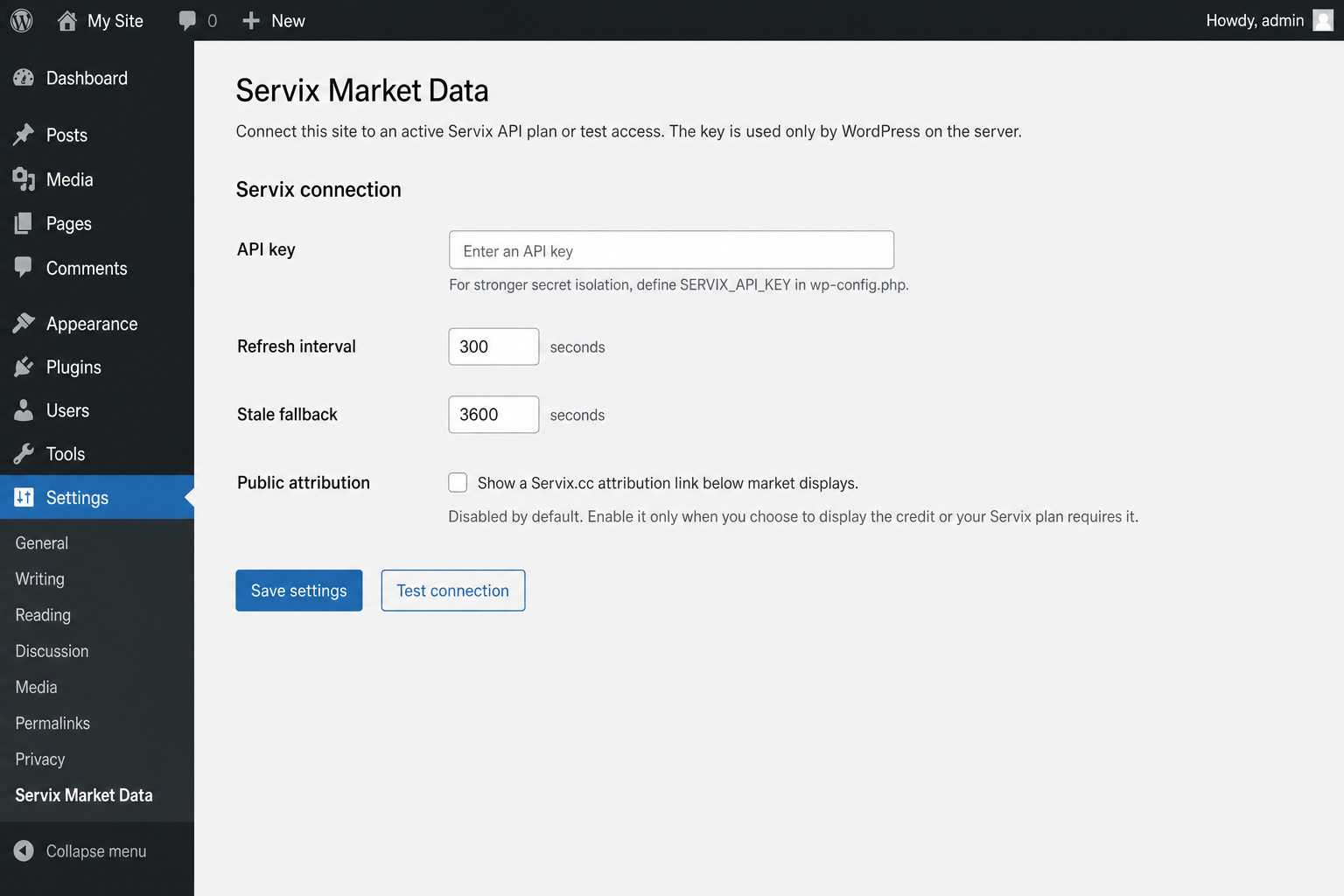
Servix Market Data is a free, GPL-compatible WordPress plugin for presenting selected Servix market information through a Gutenberg block or shortcode. The plugin itself is free and does not require a paid Servix service. It only needs a valid Servix API key, and a Free Starter API key is sufficient.
The integration sends requests from the WordPress server, so the API key does not belong in page markup, browser code, shared screenshots, public repositories, or support messages. Servix is independent from WordPress.org and the WordPress Foundation.
Built for WordPress publishing
- Gutenberg block and shortcode for reusable placement
- Card, table, compact, and sidebar-ready responsive layouts
- Configurable assets, colors, typography, and quote direction
- Right-to-left presentation and optional Solar Hijri dates
- Server-side API-key storage, caching, and stale-data handling
How the connection works
The plugin requests protected data from the authenticated Servix API on the server, caches successful results for the configured interval, and can keep a clearly identified stale response when a temporary upstream request fails. Review the API documentation, supported asset coverage, and historical-data guide before configuring a production site.
Installation and setup
- Create a Servix account and obtain a Free Starter API key; choose another plan only when you need a higher quota.
- In WordPress, open Plugins > Add New, search for Servix Market Data, then install and activate version 1.2.1 from the official plugin directory.
- Create an API key in your Servix profile and save it only in the plugin's server-side settings.
- Add the Gutenberg block or shortcode, select assets and a layout, then verify the public page on desktop and mobile.
Servix Market Data version 1.2.1 is live on WordPress.org. Directory installation is the primary path. For a manual fallback, download the Servix-hosted ZIP, then open Plugins > Add New > Upload Plugin.
Requirements
- A maintained WordPress installation that meets the version requirements published with the plugin listing
- HTTPS for the WordPress administration and public site
- A valid Servix API key; Free Starter is sufficient
- A server that can make outbound HTTPS requests to the Servix API
Use cases and data coverage
Build editorial market pages using the exchange-rate guide, gold and coin guide, or cryptocurrency guide. Free Starter is sufficient for the plugin; compare other plans only when you need a higher quota.
Frequently asked questions
Is the plugin code free?
Yes. The plugin is GPL-compatible and free to install. Its live connection only requires a valid Servix API key, and Free Starter is sufficient.
Does the API key appear in the browser?
It should not. Store the key only in the server-side plugin settings and never copy it into block content, shortcodes, URLs, client-side code, logs, or support messages.
Is this an official WordPress project?
No. Servix Market Data is an independent integration and is not endorsed by or affiliated with WordPress.org or the WordPress Foundation.
What happens when the API is temporarily unavailable?
The configurable cache reduces repeat requests and the plugin can present its last successful response as stale instead of treating old data as current.
Plan your integration
Compare API plans · Read the documentation · Contact support · Terms · Privacy